Have you ever stared blankly at the flight controller configuration screen while benchmarking your new custom FPV rig, wondering which ESC protocol to check? What on earth is the difference between DShot300, DShot600, and Bidirectional DShot?
Don't panic. Today, we are going to dive deep into the world of ESC protocols in a way that is highly technical yet easy to digest. By the end of this guide, you’ll know exactly how to make your drone fly smoother, smarter, and locked-in.
Think of the ESC protocol as the language your flight controller (the brain) uses to talk to your ESCs (the muscle). The evolutionary history of these protocols is essentially a massive tech leap—like transitioning from "primitive caveman shouting" to "instant text messaging."
The Culprits: PWM, Oneshot, Multishot.
How it worked: These legacy protocols relied on analogue pulse widths to transmit commands. It was like a screaming boss shouting across a crowded room: "HURRY UP!" (spin faster) or "SLOW DOWN!" (spin slower).
The Verdict: Highly susceptible to electrical noise, required tedious manual ESC calibration, suffered from noticeable latency, and lacked precision. Do not use these today. We live in the digital age!
The Standard: DShot (Digital Shot) is now the universal standard for modern FPV quads.
How it works: Your flight controller sends pure, crisp digital data packets straight to the ESC. It's like sending an encrypted DM: "Set motor speed exactly to 1,856 RPM." It is precise, immune to signal interference, and lightning-fast.
Every DShot data packet consists of:
Throttle Command: 11 bits of data, offering an ultra-fine precision of 0–2047 steps.
Telemetry/Return Request Bit: Allows for an interactive, two-way dialogue between components.
CRC Checksum Bit: Error prevention that guards against signal corruption.
The Verdict: Choosing DShot is a complete no-brainer. The only real question left is: Which sub-version should you select?
Both protocols share the same digital DNA, but they differ in one key metric: communication bandwidth (speed).
| Feature | DShot300 | DShot600 |
| Signal Data Rate | 300 kbit/s | 600 kbit/s (Double the speed!) |
| Latency | Low | Extremely Low (Virtually imperceptible to humans) |
| Hardware Overhead | Very forgiving on older processors | Slightly higher; requires decent FC and ESC hardware |
| Best Applicable For | Budget builds / Micro toothpicks | Premium Freestyle and High-Performance Racing rigs |
DShot300: Like a well-paved, two-lane country highway. It is reliable, smooth, and handles daily traffic with ease.
DShot600: Like a wide-open, four-lane interstate expressway. It provides wider bandwidth, resulting in tighter response times and absolute crispness on the sticks.
If you are working on a tight budget or a micro toothpick build, DShot300 is more than enough to get the job done. However, if your flight controller and ESC stack natively support it, go straight for DShot600. Pro Tip: If your motors stutter or fail to spin up cleanly after enabling DShot600, drop back down to DShot300 to rule out high-frequency electrical noise or hardware compatibility issues.
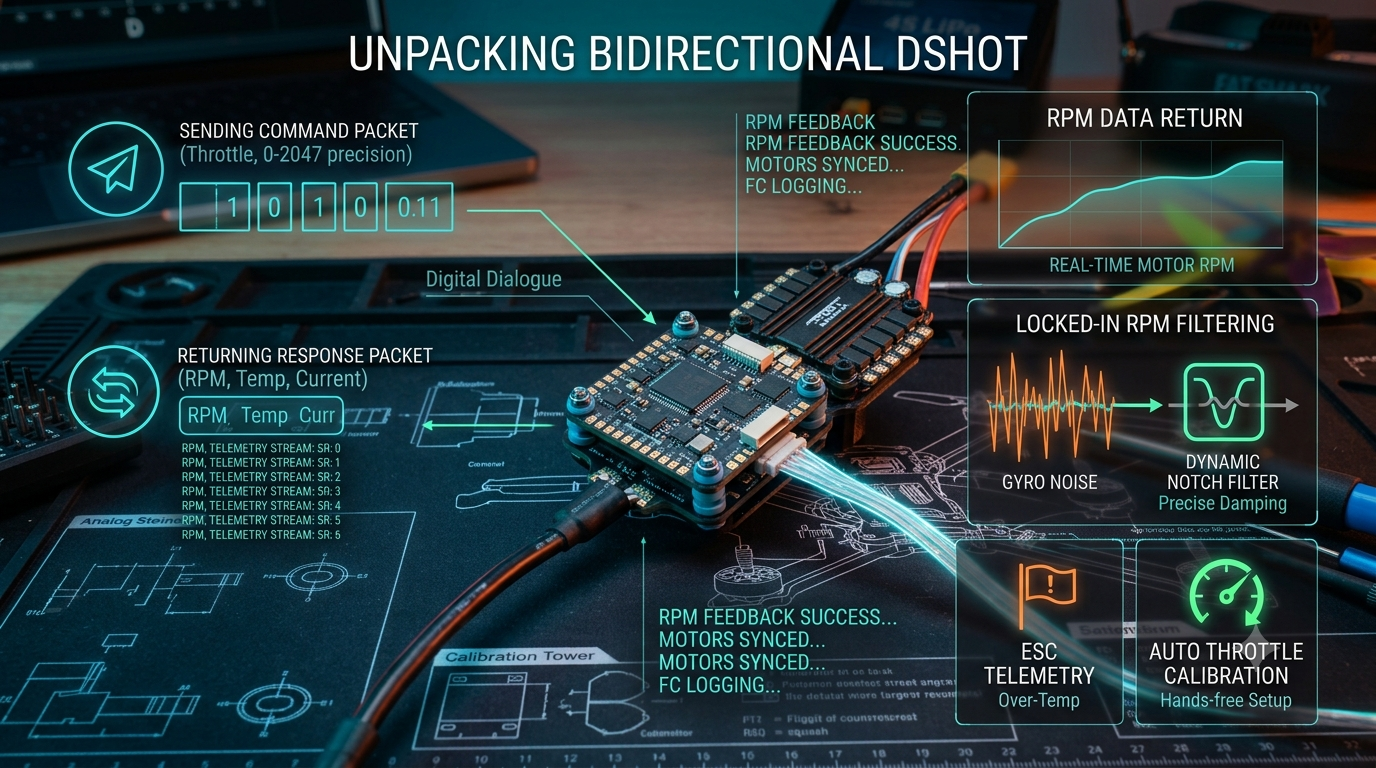
This is where the magic happens. Turning on Bidirectional DShot transforms your protocol from a bossy, one-way shouting match into an intelligent, real-time conversation.
Traditional One-Way DShot: The flight controller acts like a strict manager, barking throttle commands without ever checking if the motors are actually keeping up or burning alive.
Bidirectional DShot: The flight controller gives a command, and the ESC instantly replies: "Got the command! By the way, the motor is currently spinning at 22,500 RPM, the temperature is 45°C, and electrical current looks great."
Because your ESC reports the exact, real-time RPM of each motor back to the flight controller, your firmware can deploy a set of razor-sharp Dynamic Gyro Notch Filters. These filters target and erase precise motor vibration frequencies before they pollute your PID loop.
The Result: Your PID tuning becomes incredibly forgiving, your quad flies like it's on rails, prop wash is vastly reduced, and your flight footage looks butter-smooth.
If a motor desyncs, over-heats, draws too much current, or throws a bad packet, the ESC flags it instantly. This data can be displayed directly on your Betaflight OSD, giving you a split-second warning before a minor glitch turns into an expensive mid-air magic-smoke explosion.
Say goodbye to the old-school days of plugging in your lipo while holding full throttle to calibrate your ESC range. The digital handshake handles everything automatically behind the scenes.
The Answer: As long as your ESC hardware supports it (any modern BLHeli_32, AM32, or modern BLHeli_S firmware with Bluejay flashed can do it) and you are flying a decent flight controller processor (F405, F722, or H7), you absolutely must turn it on. The CPU overhead used to be a concern, but modern processors easily handle the workload without breaking a sweat.
Navigate to the Configuration Tab in Betaflight Configurator.
Under the ESC/Motor Features, select your desired protocol (DShot600 or DShot300).
Toggle the Bidirectional DShot switch to ON.
Set your matching motor pole count (usually 14 for standard 5-inch motors).
Hit Save and Reboot. Check your Motors Tab to ensure your error rate reads exactly 0%.
Has your custom build been missing out on the unmatched stability of Bidirectional DShot? Go fire up your configurator and check your settings!
Once you take it out for a maiden flight with a proper RPM filter activated, drop a comment below and let us know how much smoother your sticks feel!

